ServiceTitan + Birdeye Integration: Review Automation, Texting, and Reputation Management for Contractors
ServiceTitan users usually have plenty of customer data and operational visibility. The question is how to turn completed jobs, booked appointments, dispatch activity, and customer follow-up into more reviews, faster conversations, and better reputation management.

Last updated: June 17, 2026
This guide focuses on ServiceTitan Birdeye integration and practical ways to turn software activity into reviews, texting, webchat, and customer communication workflows.
Need help implementing Birdeye?
ConvertLocal is a trusted Birdeye agency helping businesses connect reviews, texting, webchat, and customer communication workflows.
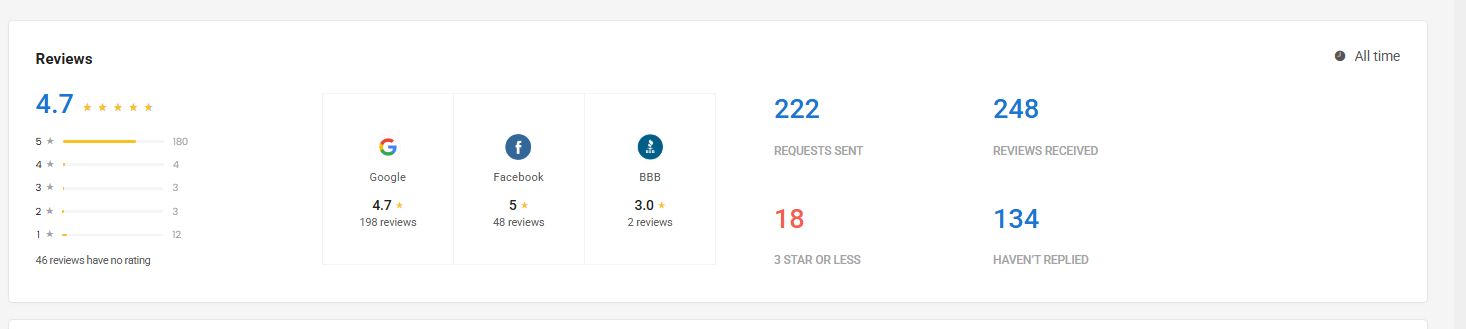
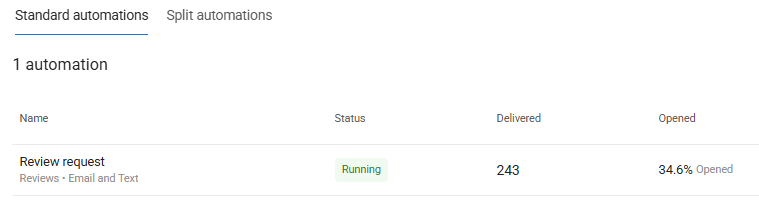
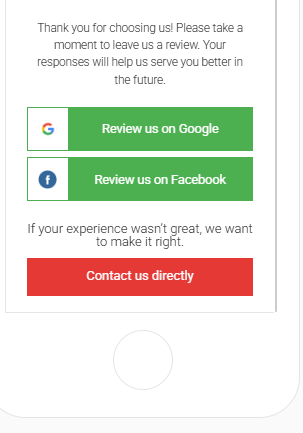
ServiceTitan Birdeye integration screenshots and workflow examples
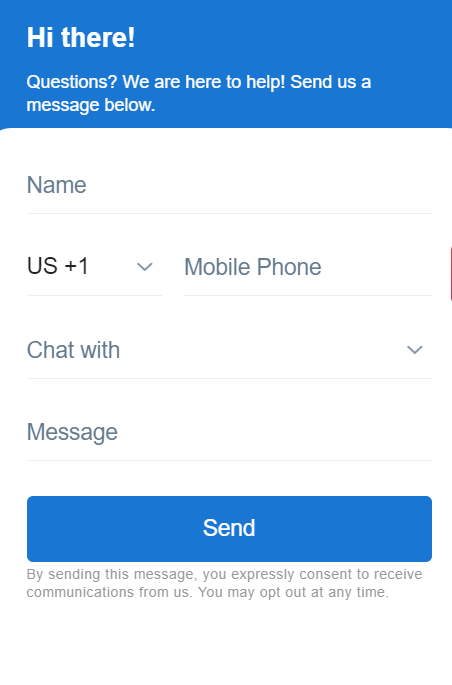
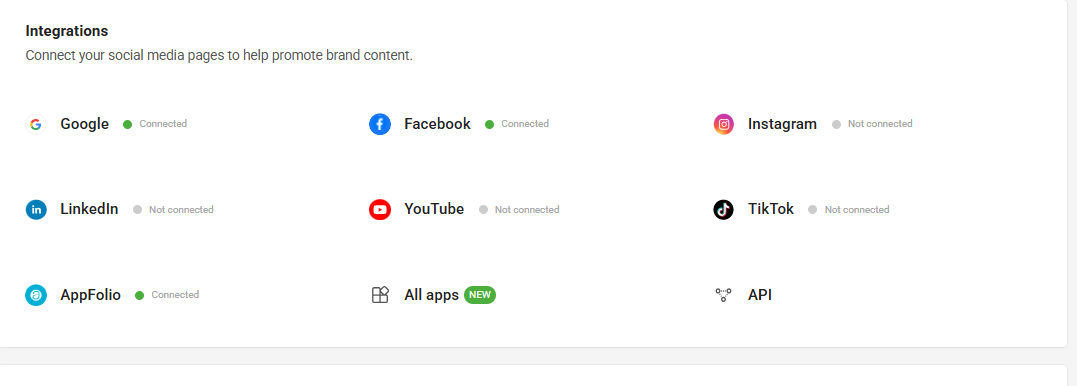
These real Birdeye screenshots show the review dashboard, automation performance, review request experience, and integration connection points.
ServiceTitan Birdeye integration setup checklist
- Choose the software trigger that represents a successful customer moment.
- Decide whether the customer should receive a review request, survey, text, or internal follow-up.
- Write short SMS and email templates that sound like your business.
- Assign ownership for inbound texts, webchat conversations, and negative feedback.
- Test the workflow with your own team before launching it across locations.
- Review performance monthly and adjust timing, frequency, and messaging.
ServiceTitan Birdeye integration mistakes to avoid
- Sending review requests before the customer experience is complete.
- Using the same message for every service type, location, or customer moment.
- Turning on texting or webchat without a clear response owner.
- Forgetting to suppress repeat customers who already received a request.
- Measuring review volume without also watching response time and lead conversion.
Conclusion: ServiceTitan Birdeye integration
The best ServiceTitan Birdeye integration strategy connects Birdeye to real customer moments, not random campaigns. When reviews, texting, webchat, surveys, listings, and follow-up work together, your software becomes a stronger lead-generation and reputation system.
Need help implementing Birdeye with your current software?
Book a free strategy call with ConvertLocal or text 617-841-7787.
Free workflow audit
Need help implementing Birdeye with your current software? Book a free strategy call with ConvertLocal or text 617-841-7787 for a free workflow audit.
ServiceTitan is used by many larger home service and trade contractors to manage calls, dispatch, jobs, technicians, marketing, memberships, estimates, and revenue operations. Birdeye can complement that operating system by helping contractors manage customer-facing communication: Google review generation, business texting, webchat, surveys, listings, referrals, and review replies.
For HVAC, plumbing, electrical, garage door, roofing, restoration, and multi-trade contractors, a ServiceTitan + Birdeye workflow should be built around the customer journey. A booked job is not the same as a completed job. A sold estimate is not the same as a finished install. A maintenance visit is not the same as an emergency repair. The best review and texting workflows respect those differences.
What ServiceTitan contractors can use Birdeye for
Google review generation
Use completed work, technician success, and customer satisfaction moments to trigger review requests.
Business texting
Follow up with estimates, inbound leads, missed calls, and webchat visitors by SMS.
Webchat and lead capture
Turn high-intent service pages into live conversations and route them to the team.
Multi-location reputation
Standardize review requests, listings, replies, reporting, and feedback routing across branches.
High-value triggers for ServiceTitan + Birdeye workflows
Completed job or closed appointment
For many contractors, the most valuable review request moment is after the work is complete and the customer has had a chance to experience the result. The workflow can vary by business unit, job type, and service line.
Installed equipment or sold project completion
Installation jobs often deserve a more thoughtful post-project message than a quick service call. Birdeye templates can be written differently for replacement, install, maintenance, and repair customers.
Membership or maintenance visit
Maintenance customers can be strong advocates, but asking too often can wear them out. Frequency controls matter. ConvertLocal helps set rules so repeat customers are not over-contacted.
Unsold estimate follow-up
Not every Birdeye workflow has to be a review request. Some contractors use messaging for quote follow-up, second-touch nurture, reactivation, or webchat handoff.
How this helps contractors compete locally
Most home service markets are brutally competitive. Customers compare reviews before calling, read recent feedback, and expect fast responses. If your team has strong field execution but inconsistent review requests, you may be leaving local demand on the table.
Birdeye can help create a more predictable reputation engine. Review requests go out after the right jobs. Negative feedback can route internally. Webchat gives website visitors a lower-friction way to ask questions. Texting helps your team respond while the customer is still engaged.
Best use cases for ServiceTitan users
- Multi-trade contractors with multiple service lines.
- Businesses with multiple branches or locations.
- Companies that want technician-friendly review workflows.
- Teams with enough lead volume to benefit from webchat and SMS routing.
- Contractors that want better review response and listings consistency.
Setup checklist
- Segment jobs by service type: repair, maintenance, install, estimate, emergency, or recurring.
- Choose which job statuses should trigger review requests.
- Create different message templates for high-value customer moments.
- Set suppression rules for repeat customers and recent requests.
- Define who owns inbound SMS and webchat replies.
- Route negative feedback to the right manager or branch.
- Track reviews by location, job type, and time period.
Common mistakes to avoid
Do not treat every ServiceTitan customer interaction as review-ready. Asking too early can hurt response rates and create awkward experiences. The message should match what actually happened.
Another common mistake is failing to assign ownership. If webchat and texting are enabled but no one is accountable for response time, the system can generate leads that go nowhere. The workflow needs a team process, not just a tool.
Why work with ConvertLocal
ConvertLocal helps contractors translate ServiceTitan operations into Birdeye communication workflows. We help identify the right triggers, write templates, plan webchat and texting use cases, connect landing pages, and build SEO content around your most profitable services.
We think like both a marketing manager and an operator: the workflow needs to produce reviews and leads, but it also needs to make sense for dispatchers, CSRs, managers, and technicians.
Want help setting up Birdeye with ServiceTitan?
Tell us your website, location count, and main goal. We will start with a quick text from ConvertLocal.
FAQ
Can ServiceTitan users connect Birdeye workflows to job activity?
Yes, contractors can plan Birdeye review and messaging workflows around job, customer, and operational milestones. The exact setup depends on the available integration path and your ServiceTitan configuration.
Should every completed job get a review request?
Not always. Many contractors use filters, timing rules, customer type, job type, or satisfaction checks before sending requests.
Can Birdeye help with multi-location reputation management?
Yes. Birdeye can support review monitoring, location-level reporting, listings, AI-assisted replies, and feedback routing across branches.
Does ConvertLocal help with contractor SEO too?
Yes. ConvertLocal can build landing pages and blog content that support the review, webchat, and texting workflows.
Helpful references: ServiceTitan, Birdeye, and the ConvertLocal home services page.