Jobber + Birdeye Integration: How Home Service Businesses Can Automate Reviews, Texting, and Customer Communication
If your home service business runs scheduling, jobs, customers, quotes, and invoices through Jobber, the next growth opportunity is usually communication: asking for reviews at the right time, texting leads while they are warm, and keeping customer conversations organized.

Last updated: June 17, 2026
This guide focuses on Jobber Birdeye integration and practical ways to turn software activity into reviews, texting, webchat, and customer communication workflows.
Need help implementing Birdeye?
ConvertLocal is a trusted Birdeye agency helping businesses connect reviews, texting, webchat, and customer communication workflows.
Jobber Birdeye integration screenshots and workflow examples
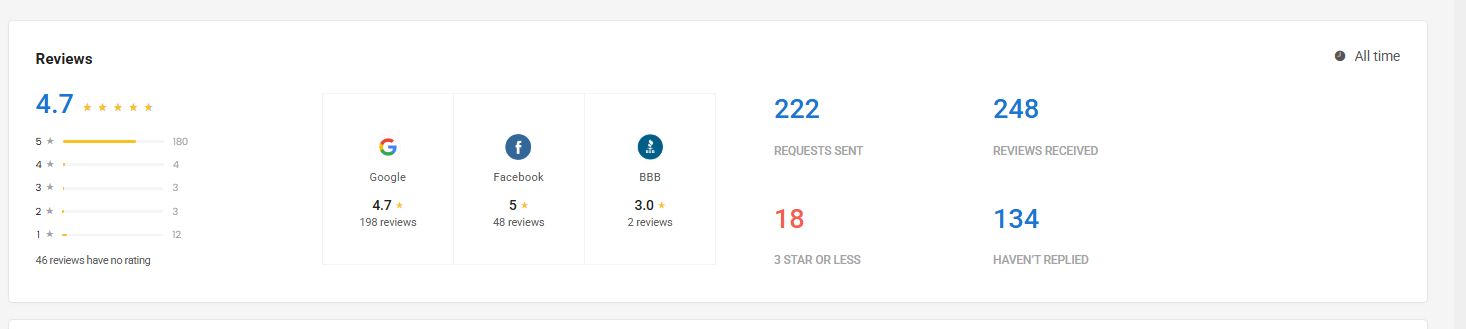
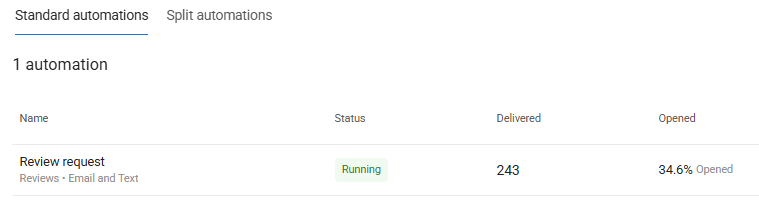
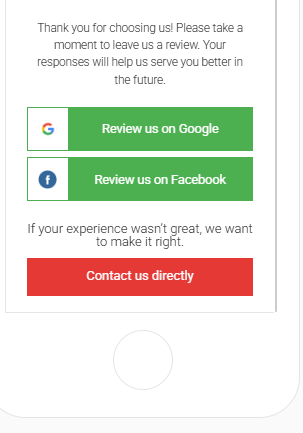
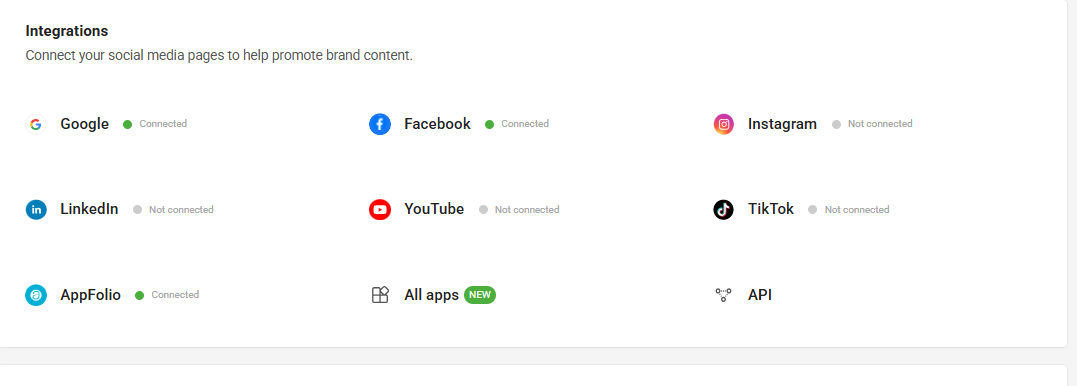
These real Birdeye screenshots show the review dashboard, automation performance, review request experience, and integration connection points.
Jobber Birdeye integration setup checklist
- Choose the software trigger that represents a successful customer moment.
- Decide whether the customer should receive a review request, survey, text, or internal follow-up.
- Write short SMS and email templates that sound like your business.
- Assign ownership for inbound texts, webchat conversations, and negative feedback.
- Test the workflow with your own team before launching it across locations.
- Review performance monthly and adjust timing, frequency, and messaging.
Jobber Birdeye integration mistakes to avoid
- Sending review requests before the customer experience is complete.
- Using the same message for every service type, location, or customer moment.
- Turning on texting or webchat without a clear response owner.
- Forgetting to suppress repeat customers who already received a request.
- Measuring review volume without also watching response time and lead conversion.
Conclusion: Jobber Birdeye integration
The best Jobber Birdeye integration strategy connects Birdeye to real customer moments, not random campaigns. When reviews, texting, webchat, surveys, listings, and follow-up work together, your software becomes a stronger lead-generation and reputation system.
Need help implementing Birdeye with your current software?
Book a free strategy call with ConvertLocal or text 617-841-7787.
Free workflow audit
Need help implementing Birdeye with your current software? Book a free strategy call with ConvertLocal or text 617-841-7787 for a free workflow audit.
Jobber is built around the daily operating flow of home service companies: requests, quotes, scheduling, job tracking, customer communication, invoicing, and payments. Birdeye is strongest when it sits around those customer moments and helps your team generate reviews, manage messaging, capture webchat leads, monitor listings, and route feedback.
A practical Jobber + Birdeye integration strategy does not start with every automation possible. It starts with the jobs and customer milestones that reliably signal a good experience. For many HVAC, cleaning, pest control, lawn care, handyman, garage door, roofing, and appliance repair businesses, that means completed jobs, paid invoices, accepted estimates, recurring service visits, and post-appointment follow-up.
What the Jobber + Birdeye integration can help accomplish
Depending on how your systems are configured, Jobber customer and job events can inform Birdeye workflows for review requests, surveys, messaging, and follow-up. ConvertLocal helps home service businesses think through which triggers should start communication and which should stay manual.
Review requests after completed jobs
Ask happy customers for Google reviews shortly after the service visit, while the technician and outcome are still fresh.
Text follow-up for new leads
Use Birdeye messaging to follow up after webchat, missed calls, quote requests, or form fills.
Feedback routing
Send low-score feedback to your team first so a manager can recover the experience before it becomes a public review.
Centralized communication
Bring webchat, texting, and review conversations into a workflow that your team can actually monitor.
Best Jobber triggers for review automation
Completed job
This is often the cleanest trigger. A technician finishes the work, the customer has a result, and the business has earned the right to ask for feedback. For many home services, a short delay works best so the request does not feel rushed.
Paid invoice
Payment can be a useful signal that the job is complete and the customer has moved through the service experience. It is especially helpful for businesses that want to avoid sending review requests before billing is resolved.
Recurring visit completed
Cleaning, lawn care, pest control, pool service, and maintenance companies often have loyal recurring customers. Birdeye can help create a review request cadence without asking the same customer too frequently.
Estimate accepted or project milestone
For larger jobs, the best review moment may not be at the very end. A customer may be happiest after a smooth estimate, kickoff, inspection, or phase completion. ConvertLocal can help map which point makes sense for your service type.
How Birdeye supports home service communication
Birdeye can support more than review generation. For home service companies, the most useful modules often include Google review requests, text messaging, webchat, surveys, listings, referrals, and AI-assisted review replies. The goal is to reduce dropped leads and make customer communication easier to manage across a busy field team.
For example, a visitor lands on your HVAC repair page after searching for emergency service. Webchat collects their name and phone number. Your team follows up by text. After the job is completed and the customer is happy, a review request is sent. If the customer leaves feedback instead of a public review, the issue routes internally.
Best use cases for Jobber users
- Single-location home service companies that want more consistent Google reviews.
- Growing field teams that need faster lead response by text.
- Recurring-service businesses that need smart review request frequency.
- Companies that want webchat on service pages and follow-up by SMS.
- Owners who want a cleaner reputation process before expanding locations.
Setup checklist
- List your highest-value customer moments: completed job, paid invoice, quote accepted, recurring visit, or follow-up call.
- Decide which customers should receive a review request and which should receive a survey first.
- Write separate SMS and email templates for review requests.
- Set reminder rules so customers are not over-messaged.
- Configure webchat messages around your highest-intent services.
- Test the workflow with your own team before launching it publicly.
- Review reporting weekly and adjust timing by service type.
Common mistakes to avoid
The biggest mistake is asking every customer at the same time with the same message. Home service jobs vary. A drain cleaning customer, a full HVAC install customer, and a recurring cleaning customer may need different timing and tone.
Another mistake is launching texting without ownership. If nobody is responsible for responding, webchat and SMS can create frustration instead of more booked jobs. Make sure the team knows who replies, when to escalate, and how fast leads should be handled.
Why work with ConvertLocal
ConvertLocal helps home service businesses turn Birdeye into a working communication system, not just a software login. We help map triggers, write templates, configure review and messaging workflows, add webchat paths, and connect the strategy to your website and local SEO goals.
We also build the surrounding conversion pieces: landing pages, blog content, text-first lead capture, and platform-specific SEO pages that help buyers find your business and understand why they should contact you.
Want help setting up Birdeye with Jobber?
Tell us your website, location count, and goal. We will start with a quick text from ConvertLocal.
FAQ
Can Jobber users automate review requests with Birdeye?
Yes, the right workflow can use job or customer milestones to guide Birdeye review requests. The exact setup depends on your Jobber configuration and available integration path.
What is the best time to ask home service customers for reviews?
Usually after a completed job, paid invoice, or confirmed positive service experience. Some businesses benefit from a short delay before sending the request.
Can Birdeye help Jobber users with texting?
Yes. Birdeye messaging can support lead follow-up, customer texting, webchat handoff, and review request communication.
Does ConvertLocal set this up?
Yes. ConvertLocal helps map the workflow, write templates, configure Birdeye, and connect the strategy to your website and lead-generation goals.
Helpful references: Jobber, Birdeye, and the ConvertLocal home services page.