Housecall Pro + Birdeye Integration: Review Automation and Texting for Home Service Businesses
Housecall Pro gives small and mid-sized home service teams a practical way to manage jobs, customers, schedules, estimates, invoices, and payments. Birdeye can help turn those customer moments into more reviews, better texting, and cleaner communication.
Last updated: June 17, 2026
This guide focuses on Housecall Pro Birdeye integration and practical ways to turn software activity into reviews, texting, webchat, and customer communication workflows.
Need help implementing Birdeye?
ConvertLocal is a trusted Birdeye agency helping businesses connect reviews, texting, webchat, and customer communication workflows.
Housecall Pro Birdeye integration screenshots and workflow examples
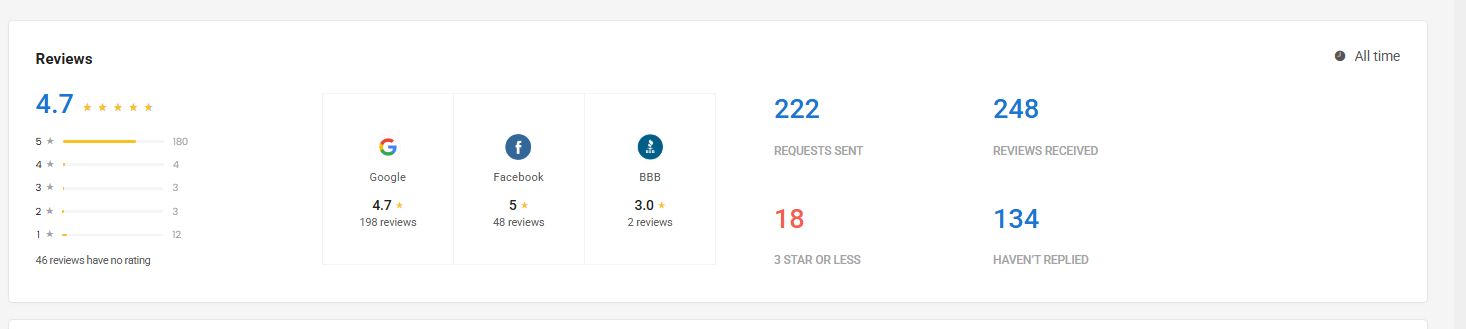
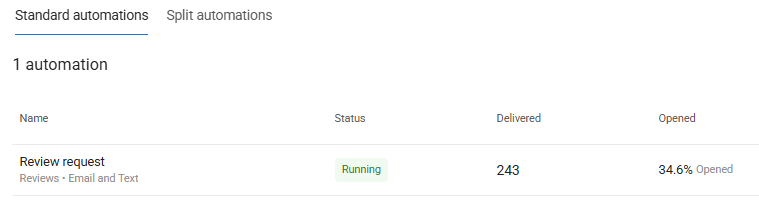
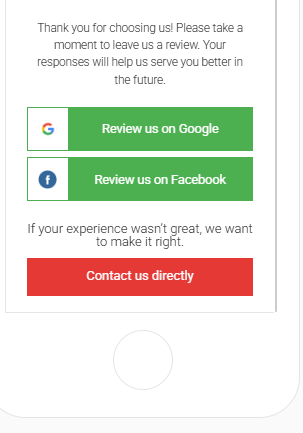
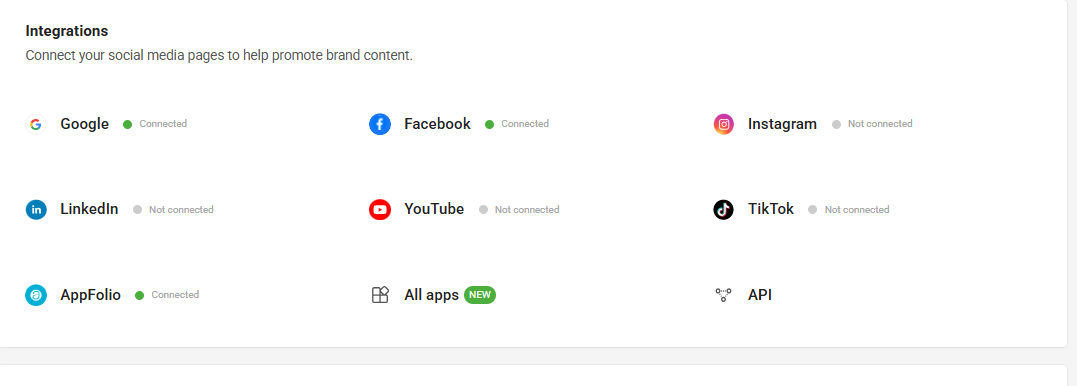
These real Birdeye screenshots show the review dashboard, automation performance, review request experience, and integration connection points.
Housecall Pro Birdeye integration setup checklist
- Choose the software trigger that represents a successful customer moment.
- Decide whether the customer should receive a review request, survey, text, or internal follow-up.
- Write short SMS and email templates that sound like your business.
- Assign ownership for inbound texts, webchat conversations, and negative feedback.
- Test the workflow with your own team before launching it across locations.
- Review performance monthly and adjust timing, frequency, and messaging.
Housecall Pro Birdeye integration mistakes to avoid
- Sending review requests before the customer experience is complete.
- Using the same message for every service type, location, or customer moment.
- Turning on texting or webchat without a clear response owner.
- Forgetting to suppress repeat customers who already received a request.
- Measuring review volume without also watching response time and lead conversion.
Conclusion: Housecall Pro Birdeye integration
The best Housecall Pro Birdeye integration strategy connects Birdeye to real customer moments, not random campaigns. When reviews, texting, webchat, surveys, listings, and follow-up work together, your software becomes a stronger lead-generation and reputation system.
Need help implementing Birdeye with your current software?
Book a free strategy call with ConvertLocal or text 617-841-7787.
Free workflow audit
Need help implementing Birdeye with your current software? Book a free strategy call with ConvertLocal or text 617-841-7787 for a free workflow audit.
Housecall Pro is popular with owner-led and growing home service businesses because it keeps the day-to-day work organized. But many teams still rely on memory, manual reminders, or inconsistent front-office habits to ask for reviews and follow up with leads.
A Housecall Pro + Birdeye integration strategy helps solve that gap. Instead of hoping someone remembers to ask for a Google review, you can build a workflow around completed jobs, invoices, customer follow-up, webchat inquiries, and text conversations.
What Housecall Pro users can use Birdeye for
Review requests
Ask customers for Google reviews after completed work, paid invoices, or positive service experiences.
Customer texting
Use SMS for lead follow-up, appointment questions, review requests, and post-job communication.
Website webchat
Capture visitors who are not ready to call but will start a conversation from your website.
Reputation management
Monitor reviews, reply faster, route negative feedback, and keep business listings cleaner.
Best review automation moments
After the job is marked complete
This is the core home service review moment. The customer has experienced the service, the technician has finished, and the business can ask for feedback without creating confusion.
After the invoice is paid
Payment can be a strong sign that the work is finished. Some teams prefer this trigger because it avoids sending a review request while billing is still open.
After a recurring service milestone
Cleaning, lawn, pool, pest, and maintenance companies may want to ask loyal recurring customers after a certain number of visits rather than after every visit.
After a positive support conversation
Sometimes the best review moment is not the job itself. It may be when a customer praises the office team, a technician solves a tough problem, or a manager recovers an issue well.
How texting and webchat fit
For many Housecall Pro users, the fastest win is not only review automation. It is response speed. A customer visits your site, asks a question, or requests a quote. If your team waits too long, that customer may call someone else.
Birdeye webchat and texting can create a faster path. Webchat captures the question and contact details. SMS keeps the conversation going after the visitor leaves the site. Review requests then close the loop after the job is complete.
Best use cases for Housecall Pro users
- Owner-operated businesses that want review growth without manual reminders.
- Small teams that need a simple texting workflow for new leads.
- Recurring service companies that want smarter review request timing.
- Local service companies that want webchat on high-intent pages.
- Growing businesses preparing for a more mature reputation system.
Setup checklist
- Choose one starting trigger: completed job, paid invoice, or recurring visit milestone.
- Write a short SMS review request that sounds human and local.
- Create a backup email version for customers who do not respond by text.
- Add webchat to pages where visitors are likely to ask quote or scheduling questions.
- Assign one person to respond to inbound texts during business hours.
- Set a review request frequency rule for recurring customers.
- Review results monthly and adjust timing or copy.
Common mistakes to avoid
Do not make the first version too complicated. Smaller teams get better results from one reliable review workflow than five half-built automations. Start with the customer moment that happens most often and has the clearest value.
Also avoid generic messages that sound like software wrote them. Home service customers respond better to direct, plain-language requests that feel like they came from the business they just hired.
Why work with ConvertLocal
ConvertLocal helps home service businesses set up Birdeye in a way that matches how the team actually works. We help choose triggers, write review request language, configure texting and webchat, and connect your website content to the workflows that generate leads and reviews.
Want help setting up Birdeye with Housecall Pro?
Tell us your website, location count, and main goal. We will start with a quick text from ConvertLocal.
FAQ
Can Housecall Pro users automate review requests with Birdeye?
Yes. Birdeye workflows can be planned around completed jobs, paid invoices, recurring visits, and other customer milestones depending on your setup.
Is Birdeye useful for small home service businesses?
Yes. Smaller teams often benefit from simple review automation, text-first lead follow-up, webchat, and faster review replies.
Can Birdeye help with texting from website leads?
Yes. Birdeye webchat and messaging can help move website visitors into SMS conversations.
Does ConvertLocal build the workflow?
Yes. ConvertLocal helps map the workflow, write the messages, configure Birdeye, and connect the setup to your website and Growth Strategy.
Helpful references: Housecall Pro, Birdeye, and the ConvertLocal home services page.