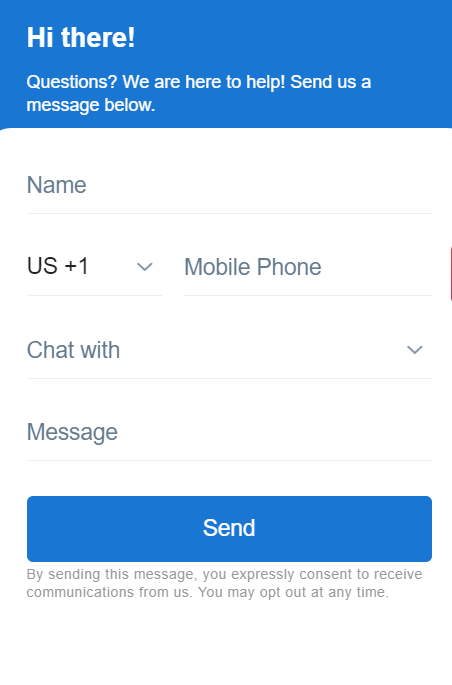
How to Add Birdeye Webchat to Your Property Management Website
A practical playbook for using Birdeye webchat to capture property management leads and resident questions from your website.
Table of Contents
Why Webchat Matters for AppFolio Property Management Teams
Many property management websites ask visitors to fill out a form and wait. That is a weak experience when a prospect is actively comparing available rentals, management companies, or HOA services. Birdeye webchat gives visitors a faster way to ask questions and gives the team a better chance to convert the visit into a conversation.
For AppFolio users, webchat does not replace the property management system. It improves the front door of the website so leasing, resident, and owner inquiries are captured quickly.
Best Webchat Flows for Property Management Websites
Prospective tenants
Availability, tours, pet policies, application questions, deposits, and move-in dates.
Property owners
Management fees, rent estimates, onboarding questions, and consultation requests.
Current residents
Office hours, portal questions, maintenance routing, and basic support direction.
How Webchat Should Hand Off to the Team
A webchat lead is only useful if someone owns the next step. Property managers should decide whether chats route to leasing, the front office, a centralized inbox, or a regional team. If the chat happens after hours, the visitor should still receive a clear message and a next-step expectation.
| Chat type | Route to | Next step |
|---|---|---|
| Apartment availability | Leasing team | Ask preferred floor plan, move date, and tour preference. |
| Owner management inquiry | Business development | Offer a rent estimate or management consultation. |
| Resident support | Resident services | Route to portal or maintenance process where appropriate. |
Webchat Setup Checklist
- Pick the pages where chat should appear first.
- Write chat messages for tenants, owners, and residents.
- Define business hours and after-hours expectations.
- Connect chat routing to the right team inbox.
- Test mobile display and page speed.
- Track chat starts, replies, booked tours, and owner consultations.
Conversion Tips
Keep the first chat message specific. “How can we help?” is weaker than “Looking for availability, a tour, or property management help?” Specific messages reduce friction and help your team respond with context.
Frequently Asked Questions
Can Birdeye webchat work on a property management website?
Yes. Birdeye webchat can be added to eligible websites and routed into messaging workflows.
Does webchat connect directly to AppFolio?
Webchat should be treated as a website lead capture and messaging workflow. Exact data handoff depends on your AppFolio and Birdeye configuration.
Can webchat capture owner leads?
Yes. Owner-focused messages can help convert management inquiries into consultations.
Can webchat handle resident questions?
It can capture questions and route them, though residents should still be directed to the proper resident portal for account-specific issues.
Can ConvertLocal install webchat?
Yes. ConvertLocal can help configure the webchat experience, messages, routing, and conversion tracking.
Related AppFolio Resources
Use these pages to move through the full AppFolio + Birdeye resources without guessing which feature to research next.