
Asking for reviews should feel easy for the customer and natural for the team. The method matters: a text may work best after a service call, while an NFC card may work better at a counter or front desk.
Review request methods compared
| Method | Best use | Watch-out |
|---|---|---|
| Text message | After service, appointment, delivery, or purchase | Keep it short and avoid pressure |
| Receipts, appointment follow-up, longer context | Lower urgency than SMS | |
| NFC tap card | Front desks, counters, events, checkout | Do not pressure customers on-site |
| QR code card | Printed materials and invoices | Make the destination clear |
| Automation | Consistent post-transaction requests | Test triggers before launch |
What automated review generation looks like in practice
Review automation works best when it is tied to a real customer moment. A completed job, appointment, checkout, delivery, repair pickup, or invoice milestone can start a review request workflow so happy customers are asked while the experience is still fresh.
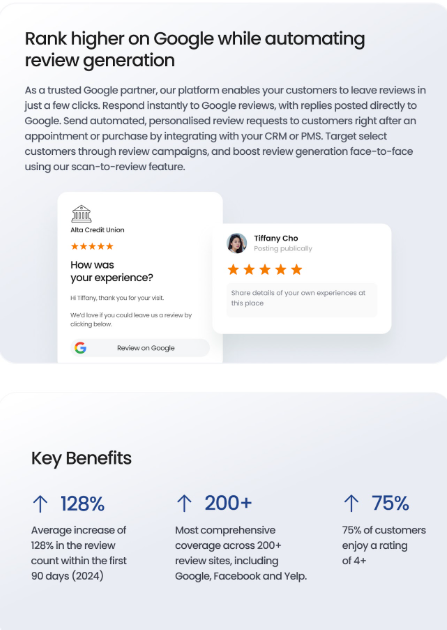
Automate review requests with ConvertLocal
We help set up Birdeye campaigns, review cards, timing, templates, and follow-up workflows.
Sample short templates under 125 characters
Service
Thanks for choosing us. Would you share quick feedback about your experience?
Appointment
Thanks for visiting today. Your feedback helps our team improve.
Purchase
Thanks for your purchase. Would you mind sharing how we did?
Longer templates
“Thank you for choosing our team. If you have a minute, we would appreciate your honest feedback about your experience. Reviews help future customers make confident decisions.”
“We appreciate your business. Your feedback helps our team improve and helps other local customers understand what to expect. Please share an honest review when you have a moment.”
Private feedback first
Private feedback can be useful when it is used to learn, resolve issues, and improve operations. It should not be positioned as hiding bad reviews or preventing unhappy customers from leaving public feedback. Keep review requests fair, consistent, and honest.
Read more about Google review generation, Birdeye private feedback microsites, and industry review sites.
What automated review generation looks like in practice
Review automation works best when it is tied to a real customer moment. A completed job, appointment, checkout, delivery, repair pickup, or invoice milestone can start a review request workflow so happy customers are asked while the experience is still fresh.
Get a Birdeye quote from ConvertLocal
ConvertLocal helps local businesses automate review requests, make phone numbers textable, capture missed calls, and centralize customer communication with Birdeye.
FAQs
What is the best way to ask for a review?
The best method depends on the customer moment. Text is fast, email is familiar, QR and NFC cards work well in person, and automation keeps timing consistent.
Should I ask only happy customers?
No. Avoid selective solicitation and review gating. Ask customers consistently and use private feedback to learn from all experiences.
Can ConvertLocal write review request templates?
Yes. ConvertLocal can help create short, compliant templates for text, email, QR cards, and Birdeye campaigns.