
Birdeye Social
Create, schedule, and publish social content while connecting social activity to reviews, listings, webchat, texting, and the rest of the local customer journey.
Last updated: June 19, 2026
Social media management inside the Birdeye platform
Local businesses often treat social posting as a separate job from reviews, listings, lead capture, and customer communication. That creates more logins, more vendor relationships, and more disconnected workflows. Birdeye Social gives businesses a way to plan and publish content from the same broader platform used for local reputation and customer experience.
The exact networks, AI features, publishing tools, approvals, analytics, user allowances, and location capabilities depend on the current Birdeye package. ConvertLocal helps verify the package and design a workflow that matches how corporate teams, owners, managers, and local staff should collaborate.
Create and schedule posts
Plan social content in advance and maintain a more consistent publishing cadence.
Manage multiple locations
Balance brand-level campaigns with local relevance, permissions, and location-specific content.
Connect social to reputation
Pair posting with listings accuracy, review generation, webchat, and business texting.
Plan, create, approve, and publish social content across locations.
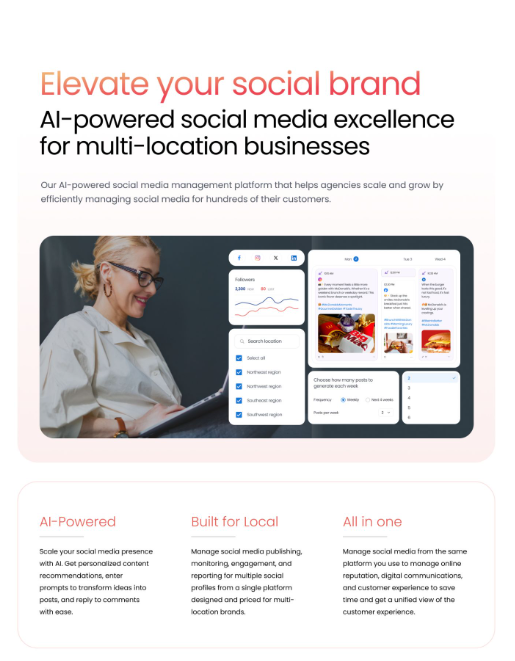
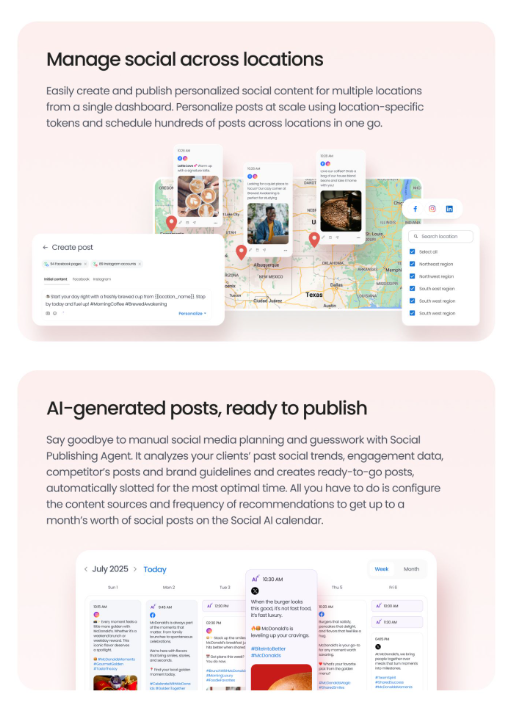
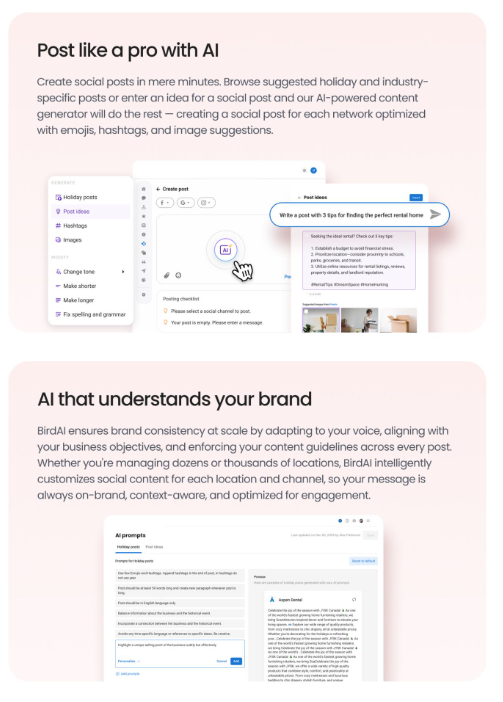
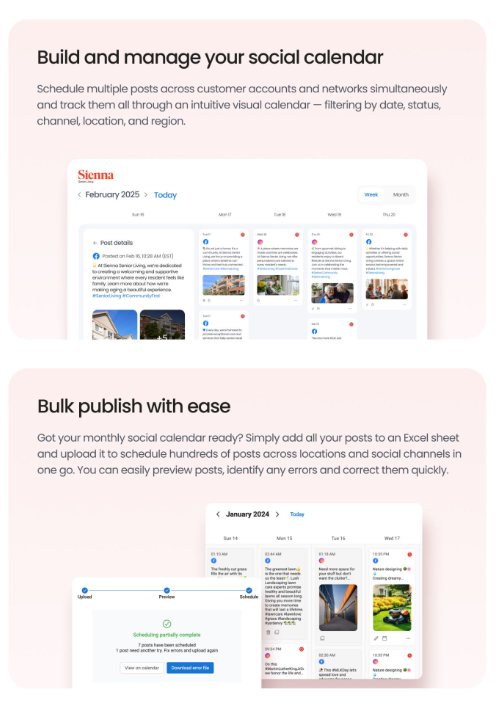
For multi-location businesses, social media breaks down when every store or office is left to improvise. Birdeye Social gives teams a clearer workflow for campaign planning, AI-assisted content creation, location personalization, approvals, scheduling, and reporting.
Make social publishing easier across teams and locations
ConvertLocal helps local and multi-location businesses choose the right Birdeye package, configure locations and users, and launch practical workflows with hands-on agency support.
A better workflow for local and multi-location teams
- Connect and verify the supported social profiles.
- Define which content is corporate, local, reusable, seasonal, or approval-required.
- Set user roles, permissions, and approval expectations.
- Create a practical posting cadence the team can maintain.
- Build reusable themes for reviews, staff, services, community, education, and promotions.
- Use location-specific details instead of publishing identical generic posts everywhere.
- Review performance and adjust the content mix.
Why pair Social with the rest of Birdeye?
Listings create accuracy
Customers who discover a social post can find consistent location information when they search or navigate.
Reviews create trust
Social content and reputation signals work together when prospects evaluate the business.
Webchat captures interest
Website visitors can move from awareness into a real conversation.
Texting continues follow-up
Approved customer conversations can continue from one business workflow.
Frequently asked questions
What does Birdeye Social do?
Birdeye Social helps businesses create, schedule, publish, and manage social content from the Birdeye platform, with capabilities depending on the selected package.
Can Birdeye Social support multiple locations?
Yes. It is designed to support multi-location social workflows, including corporate and location-level content strategies depending on configuration.
Does Birdeye Social include unlimited users?
Unlimited-user access may be available with certain Birdeye packages. Confirm the current package, permissions, and commercial terms in the written quote.
Can Birdeye Social work with Reviews and Listings?
Yes. Birdeye Social can be paired with Reviews, Listings, Webchat, Texting, and other Birdeye products to create a broader local-business growth system.
Can ConvertLocal help set it up?
Yes. ConvertLocal helps connect profiles, configure locations and users, plan approvals, create the publishing workflow, and train the team.
Plan, create, approve, and publish social content across locations.
For multi-location businesses, social media breaks down when every store or office is left to improvise. Birdeye Social gives teams a clearer workflow for campaign planning, AI-assisted content creation, location personalization, approvals, scheduling, and reporting.
Make social publishing easier across teams and locations
ConvertLocal helps local and multi-location businesses choose the right Birdeye package, configure locations and users, and launch practical workflows with hands-on agency support.