Birdeye + RingCentral: Shared Calling and Texting Guide
Customers do not care which employee is on shift. They want one recognizable number, a quick response, and a conversation that does not restart every time a teammate takes over. A well-planned Birdeye + RingCentral workflow can help create that continuity.
Last updated June 19, 2026
The typical communication problem is not a lack of phones. It is fragmentation. One employee calls from the office line. Another texts from a personal phone. A third answers a webchat. When the customer replies tomorrow, no one has the whole story.
A Birdeye RingCentral integration strategy should begin with the customer journey, not the technology names. Which business number should customers recognize? Who should receive inbound calls? What happens after a missed call? Which employees can text? Where should the conversation history live? How does a manager step in when the original employee is unavailable?
When the supported plans, numbers, and permissions align, Birdeye and RingCentral can help businesses bring calling and messaging closer to one shared operating workflow. Exact capabilities vary by product edition, number type, registration status, account configuration, and current integration support, so the design should be validated before numbers are moved or customer-facing behavior changes.
How shared business calling and texting should work
The customer uses a published, recognizable business number.
Routing and permissions determine who can answer or follow up.
Authorized employees can understand the context before responding.
The business keeps ownership of the relationship and customer history.
The goal is not to force every interaction into one channel. Some conversations are best handled by phone; others are faster over text. The useful part is allowing the customer to move between those channels without losing context or receiving conflicting answers.
Five workflows worth designing carefully
1. Calling from an approved business identity
Employees should not need to expose personal numbers to return a customer call. A supported setup can give authorized users an approved caller identity while maintaining business ownership of the interaction. Confirm which numbers can be used, how outbound caller ID appears, and whether location or department-specific identities are needed.
2. Shared business texting
Texting is useful for appointment details, estimates, delivery timing, status updates, payment links, photos, and quick questions. A shared inbox gives the team continuity when shifts change. Businesses should also complete required messaging registration, obtain appropriate consent, honor opt-outs, and avoid sending sensitive information casually.
3. Missed-call text-back
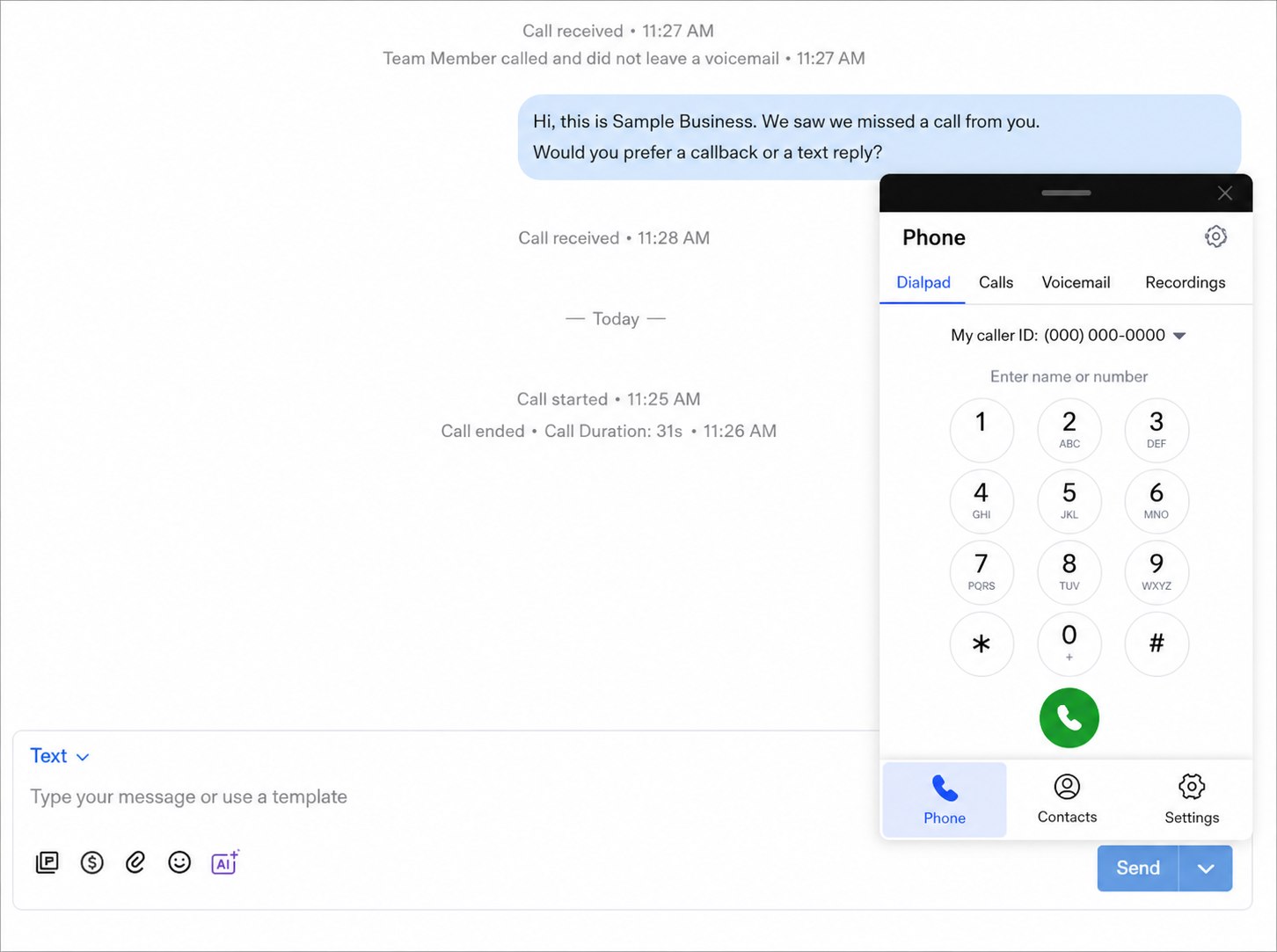
A missed call is often a high-intent lead or an existing customer who needs help. A timely automated text can acknowledge the call and invite a reply: “Sorry we missed you. How can our team help?” The message should not pretend a human answered, and replies need a real owner.
4. Desktop and mobile dialer access
Office staff may work at desktops while field employees, salespeople, or managers need mobile access. Test both environments. Confirm microphone permissions, notifications, caller identity, contact matching, transfer behavior, and what happens when the internet connection is weak.
5. Team handoffs and escalation
Shared visibility is only useful when ownership is clear. Define how conversations are assigned, when a teammate is mentioned, how urgent issues are escalated, and what a manager sees. The customer should not receive two simultaneous replies from different employees.
Best-fit businesses for Birdeye + RingCentral
Home services
Coordinate office dispatch, technician updates, estimate questions, missed calls, and payment follow-up from business-owned channels.
Property management
Route prospect and resident communication while keeping personal numbers out of leasing and service conversations.
Automotive
Manage appointment calls, repair updates, approvals, pickup communication, and review follow-up across service teams.
Retail and showrooms
Let associates discuss availability, delivery, installation, and payment without using personal cell phones.
Healthcare practices
Support appropriate scheduling and front-desk communication while maintaining privacy-conscious policies and approved workflows.
Multi-location businesses
Standardize communication while preserving location routing, local numbers, permissions, and reporting.
The strongest fit is a business where customers already call and text frequently, multiple employees may touch the same relationship, and managers need reliable visibility. A tiny team with one person answering everything may still benefit, but the operational gain becomes more obvious as handoffs increase.
Birdeye + RingCentral setup checklist
- Inventory every public and internal phone number
- Identify number owners, locations, and departments
- Confirm number and plan eligibility
- Document inbound call routing and business hours
- Choose outbound caller IDs by role
- Complete required SMS registration
- Set user roles and inbox permissions
- Write missed-call and after-hours templates
- Test desktop and mobile behavior
- Define assignment and escalation rules
- Review recording consent requirements
- Create a rollback and support plan
Common mistakes to avoid
Moving numbers before mapping them
Know which numbers drive calls, texts, ads, listings, and customer habits before changing routing or ownership.
Automating without reply ownership
A missed-call text that receives no human response creates a worse experience than a simple voicemail.
Giving every user every permission
Use roles that reflect locations, departments, responsibilities, and the sensitivity of customer conversations.
Ignoring consent and recording laws
Review SMS opt-in, opt-out, call recording disclosure, retention, and privacy requirements with qualified advisors.
Frequently asked questions
Does Birdeye integrate with RingCentral?
Birdeye and RingCentral capabilities depend on the business’s plans, number setup, permissions, and current integration availability. ConvertLocal can help evaluate the intended calling and texting workflow before launch.
Can employees call and text from a shared business number?
A supported configuration may allow authorized employees to communicate from an approved business identity rather than personal cell phone numbers. Number eligibility, routing, caller ID, messaging registration, and user permissions must be confirmed.
Can Birdeye send a missed-call text back?
Missed-call text-back can be part of a supported customer communication workflow. The business should define which calls qualify, the response timing, the message content, and who owns replies.
Does the setup work on desktop and mobile?
Desktop and mobile access may be available depending on the selected products, editions, permissions, and current feature support. Test the exact devices and workflows the team will use.
Can calls be recorded?
Recording availability and rules vary. Businesses must confirm product support and comply with consent, disclosure, retention, and privacy laws in every applicable jurisdiction.
Can ConvertLocal help configure Birdeye and RingCentral?
Yes. ConvertLocal can help map numbers, roles, routing, missed-call follow-up, messaging templates, permissions, testing, and staff training.
Keep exploring