How Birdeye Text-to-Pay Helps Local Businesses Collect Faster
A customer says, “Send me the balance,” and your team can answer inside the same conversation with a secure payment path. Here is how local businesses can use Birdeye text-to-pay to reduce collection friction without turning the inbox into an accounting system.
Last updated June 19, 2026
For many local businesses, getting approval for the work is easier than collecting the final balance. The invoice may already exist, but the customer is on a jobsite, driving, waiting for delivery, or simply not sitting in front of a computer. Another email can disappear into a crowded inbox. A phone call may go unanswered. Asking an employee to write down a card number creates a poor experience and unnecessary risk.
Birdeye text-to-pay gives eligible businesses a cleaner option: meet the customer in an active text conversation and provide a payment link when the customer is ready. The customer gets a mobile-friendly path to pay, while the team keeps the communication attached to the customer record and visible to authorized coworkers.
This is not merely a payment button. The value comes from placing payment collection inside the service conversation. The employee can explain the amount, answer a question, send the payment request, see the result, and move the customer to the next step without switching across several disconnected tools.
How the Birdeye text-to-pay workflow works
Confirm the customer, balance, invoice reference, and reason for payment.
Enter the approved amount and details using the supported Payments workflow.
The customer receives a payment path in the text conversation.
The team checks status, records the result, and continues service follow-up.
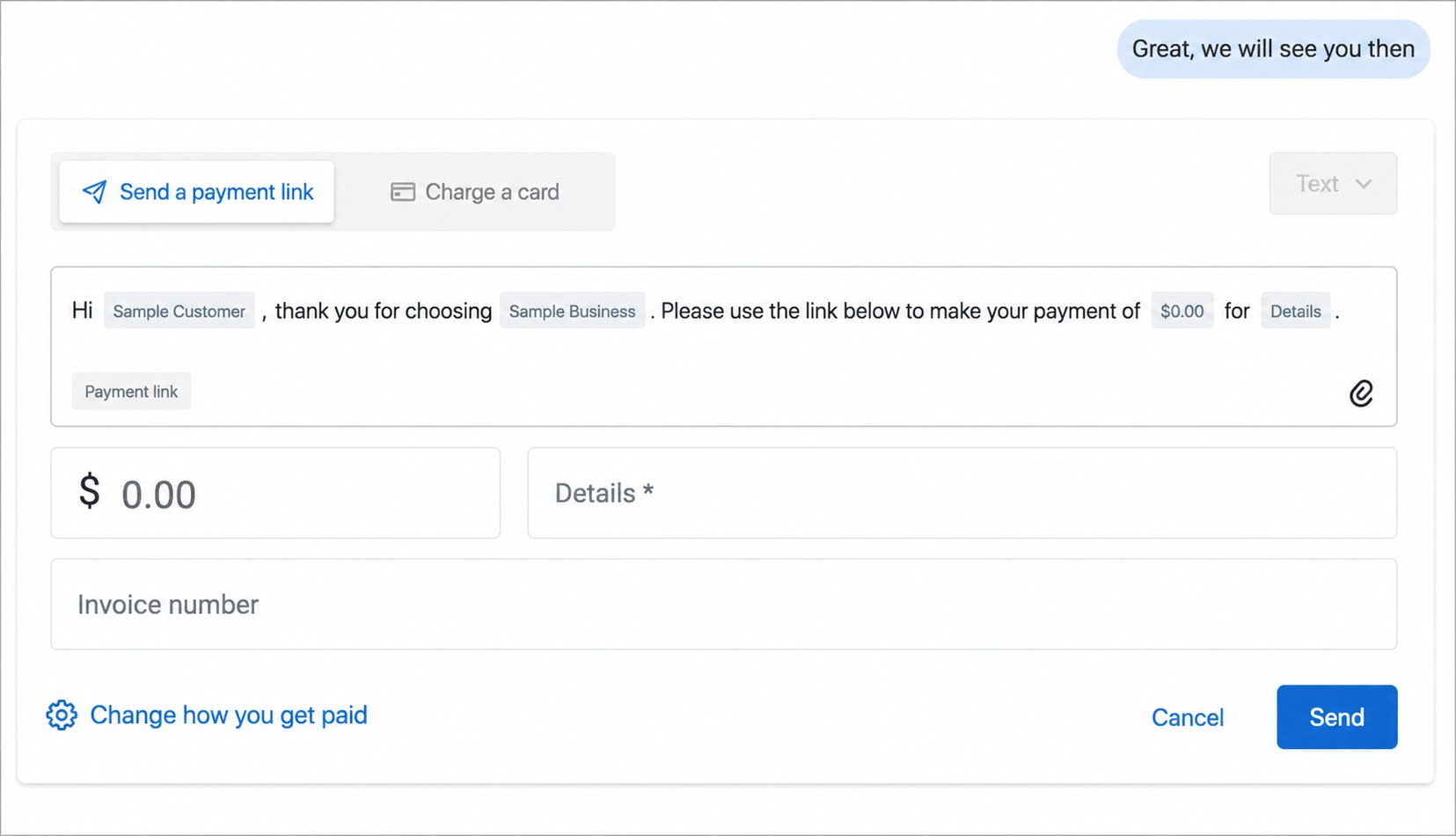
A well-designed workflow starts before an employee clicks send. The business should define who is allowed to request payment, where the amount comes from, what invoice or job reference must be included, and how the payment is reconciled. This prevents employees from guessing and gives customers a consistent explanation.
For example, a furniture store may text delivery timing, then send the remaining balance before unloading. A home service company may send a deposit after the estimate is approved. An auto repair shop may collect the final amount before vehicle pickup. The trigger differs, but the principle is the same: payment happens at a clear operational milestone.
What owners and managers can see
A centralized payment view can help an authorized manager understand which requests have been sent, paid, refunded, or remain outstanding. It also gives the team a shared point of reference when a customer calls or texts with a question. Exact fields, filters, payout details, and reporting options depend on the account and current product configuration.
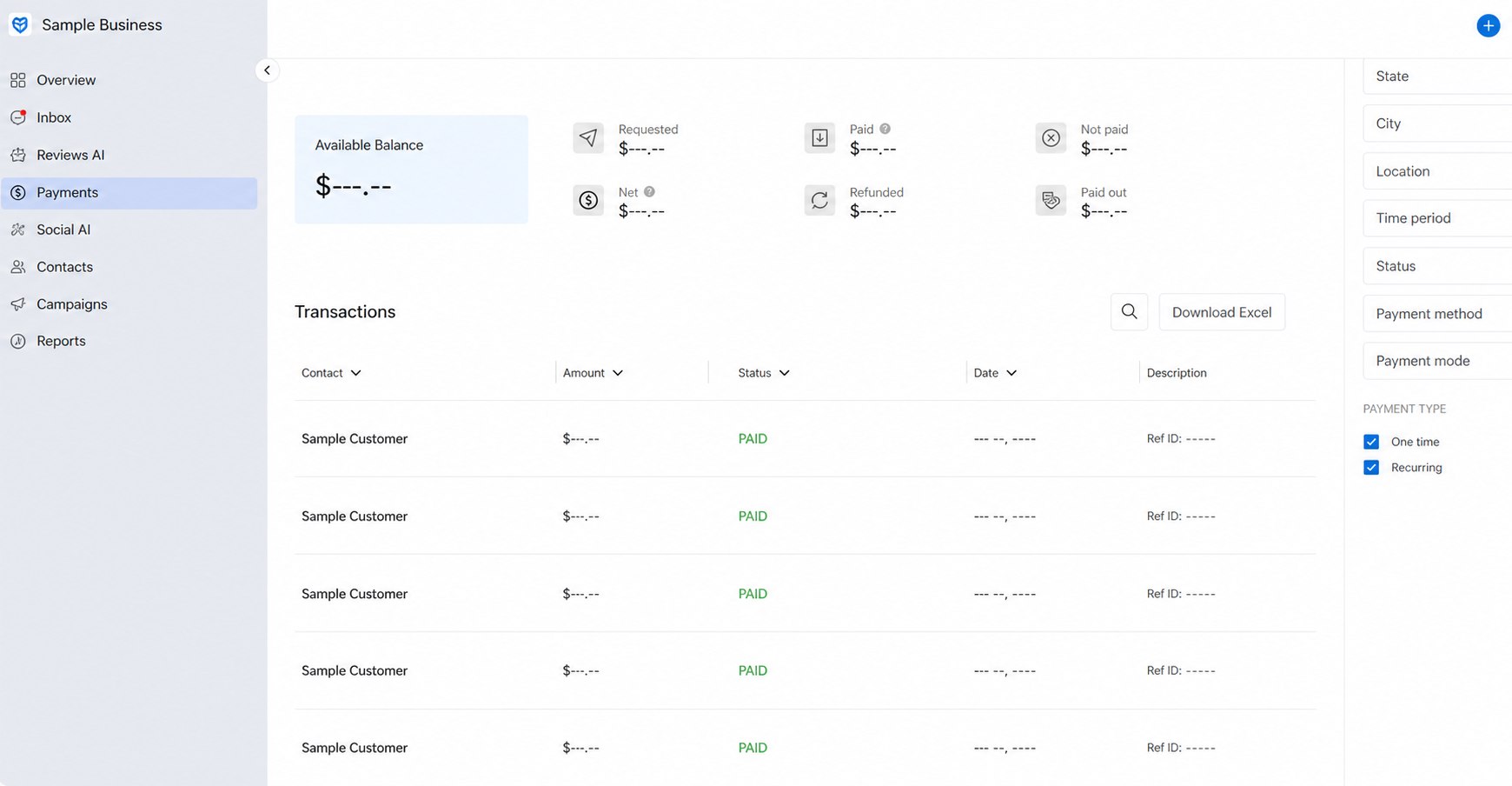
The useful question is not “Can we see a dashboard?” It is “What decision will the dashboard help us make?” A service manager may watch unpaid requests before a vehicle or item is released. An owner may compare requested and paid totals. A finance employee may use invoice references to reconcile transactions. Define those responsibilities before launch.
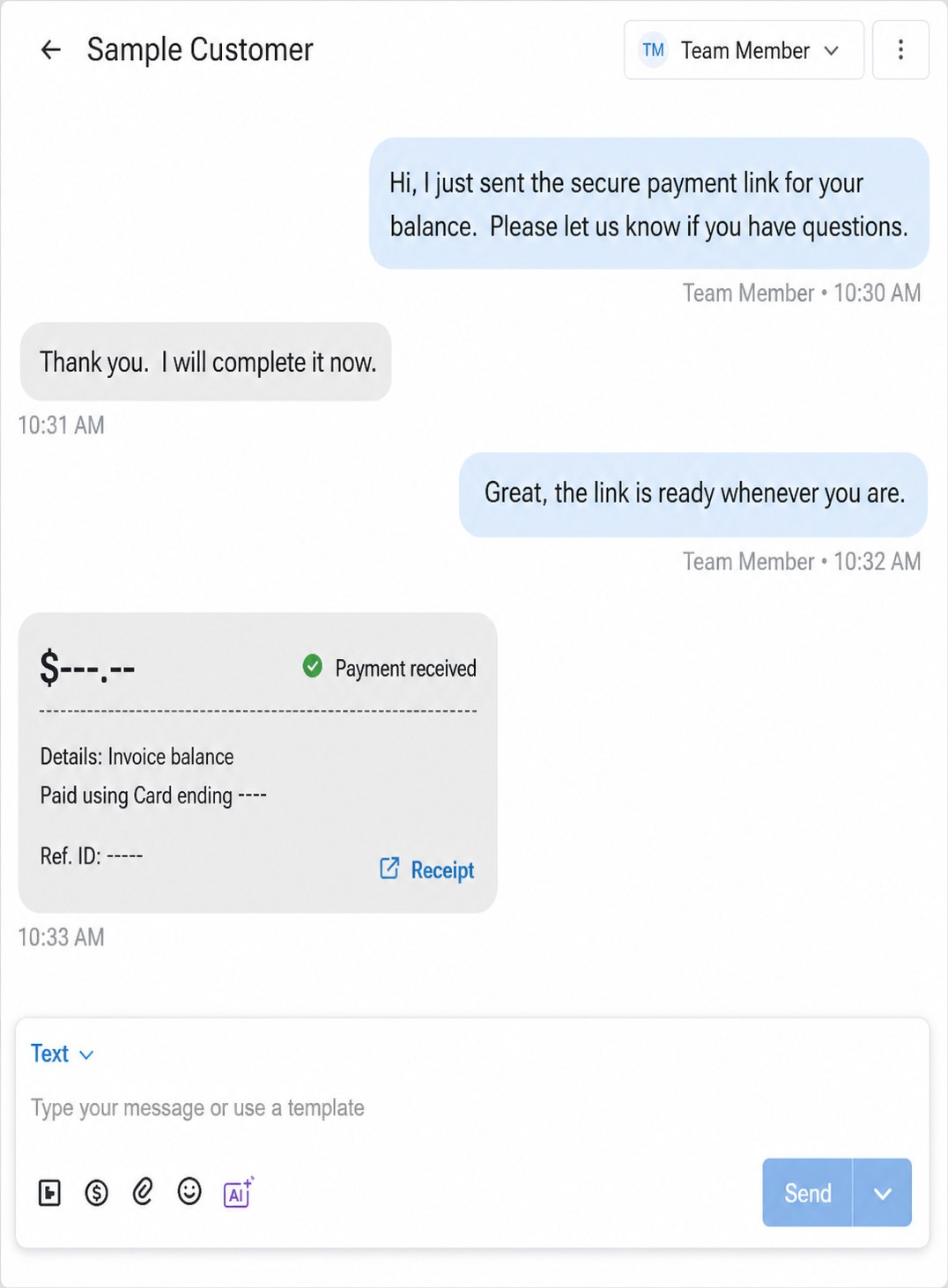
Payment confirmation inside the conversation
When payment status appears alongside the customer exchange, a teammate can quickly understand what happened without asking the original salesperson. That supports cleaner handoffs and reduces duplicate payment requests.
Best Birdeye Payments use cases for local businesses
Home services
Collect an approved deposit, progress payment, or final service balance after the office verifies the job milestone.
Auto repair
Text the final balance before pickup, answer questions, and keep the payment confirmation with the service conversation.
Furniture and retail
Coordinate delivery, send an approved remaining balance, and continue communication from the store number.
Property services
Collect eligible service charges or deposits using a documented workflow tied to the correct customer and property.
Med spas and wellness
Send approved payment requests for eligible services while maintaining appropriate privacy and communication practices.
Professional services
Reduce invoice friction when a customer is ready to pay but needs a convenient mobile path.
Eligibility and product support matter. Businesses in regulated industries should confirm that their use case, payment flow, messaging content, data handling, and account configuration meet applicable requirements. Avoid putting sensitive service or patient details in casual SMS copy.
Birdeye Payments setup checklist
- Confirm business and transaction eligibility
- Review current processing fees and payout timing
- Decide which employees can request payments
- Document the source of the approved amount
- Require an invoice, job, or order reference
- Create payment request message templates
- Test successful, declined, and abandoned payments
- Define refund and dispute ownership
- Map reconciliation to accounting software
- Train the team on customer verification
Common mistakes to avoid
Using text as the invoice
The text should support the approved transaction, not replace the business’s invoice, estimate, or system of record.
Letting anyone change amounts
Set permissions and approval rules so payment requests come from verified balances, not memory or informal notes.
Ignoring reconciliation
Decide how transaction IDs, invoice numbers, refunds, and payouts will be matched to accounting records.
Writing sensitive details in SMS
Keep message copy concise and appropriate. Do not expose private service, financial, or health information unnecessarily.
Frequently asked questions
What is Birdeye text-to-pay?
Birdeye text-to-pay is a workflow that lets an eligible business send a secure payment request or payment link during a customer conversation. Availability and exact capabilities depend on the business account, configuration, and supported payment setup.
Can a business send a payment link by text?
Eligible businesses can send a payment link through a supported Birdeye messaging workflow, allowing the customer to complete payment from a phone without reading card details aloud.
Does Birdeye Payments replace accounting software?
Birdeye Payments is best treated as a customer communication and payment collection layer. Accounting, invoicing, reconciliation, and system-of-record responsibilities should be mapped to the business’s existing software and workflow.
Which businesses are a good fit for Birdeye Payments?
Strong use cases include home services, auto repair, furniture and specialty retail, property services, med spas, and other eligible businesses that collect deposits, balances, invoices, or service payments.
Are payment processing fees included?
Processing costs, payout timing, eligibility, supported payment methods, and contractual terms can vary. Businesses should confirm the current commercial terms before launch.
Can ConvertLocal help set up Birdeye Payments?
Yes. ConvertLocal can help evaluate the workflow, confirm the information needed for onboarding, build message templates, train staff, and test payment links before the process goes live.
Keep exploring