
Birdeye Payments: Text-to-Pay for Local Businesses
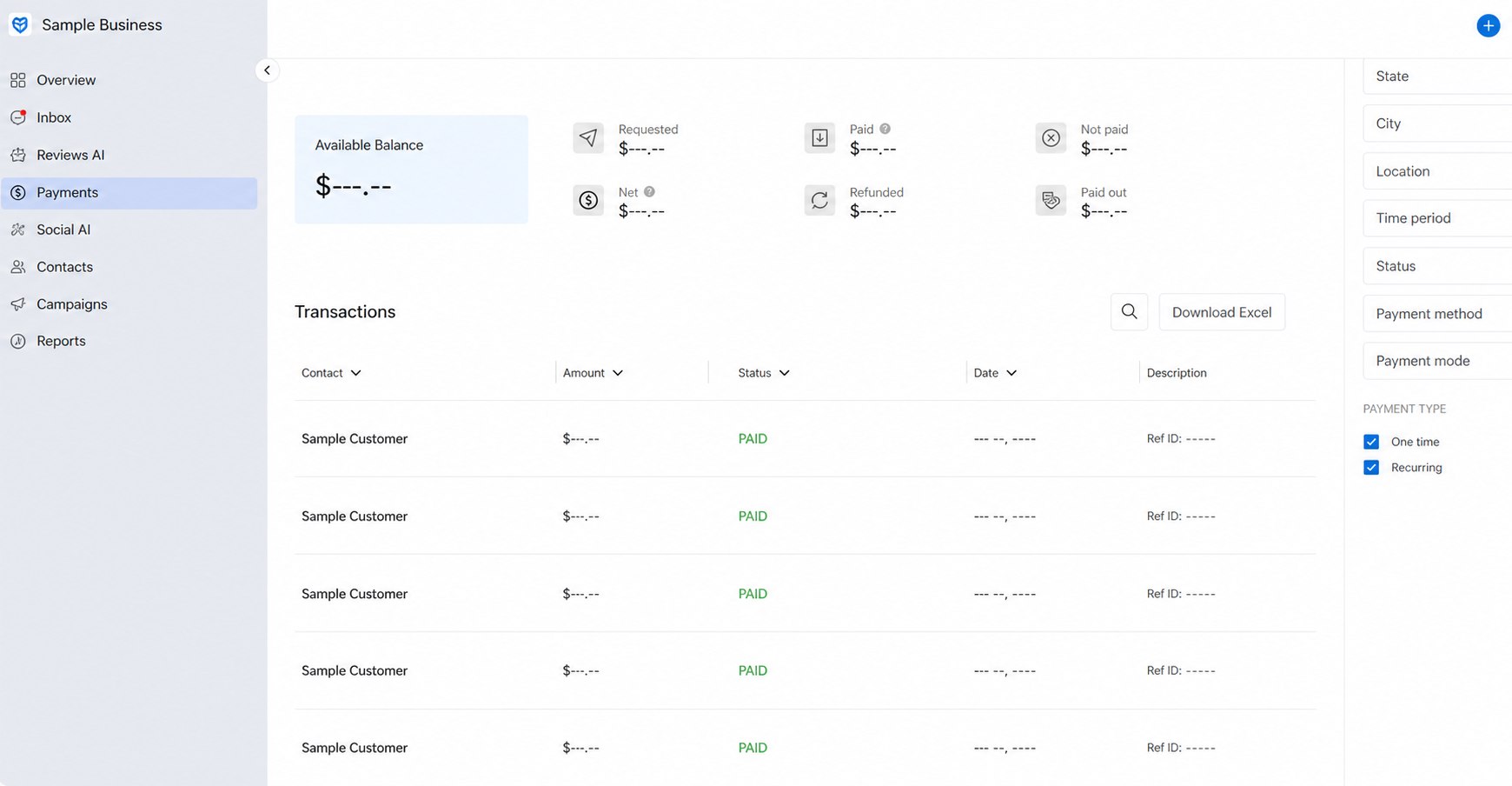
Send secure payment links through supported text or email workflows so customers can pay from their phone without calling back or visiting the business.
Last updated: June 19, 2026
What is Birdeye Payments?
Birdeye Payments gives eligible businesses a way to collect customer payments from the same broader platform used for messaging and customer communication. Instead of asking the customer to call with card details, mail a check, or return to the office, staff can create a supported payment request and send a secure payment link.
The customer opens the link on a phone or computer and completes the payment through the available checkout experience. Supported payment methods, processing terms, transaction fees, settlement timing, recurring options, refunds, and account eligibility can vary. ConvertLocal helps review the current offering and builds the workflow around how the business already communicates with customers.
Make it easier for customers to pay from their phone
ConvertLocal helps businesses confirm eligibility, configure the Birdeye workflow, train employees, and connect payments, calling, texting, webchat, and reviews into a practical customer communication system.
How Birdeye text-to-pay works
- Staff opens the customer record or supported Birdeye Inbox conversation.
- The employee chooses the payment-link workflow and enters the amount, description, and invoice reference.
- Birdeye sends the secure payment link through the supported text or email channel.
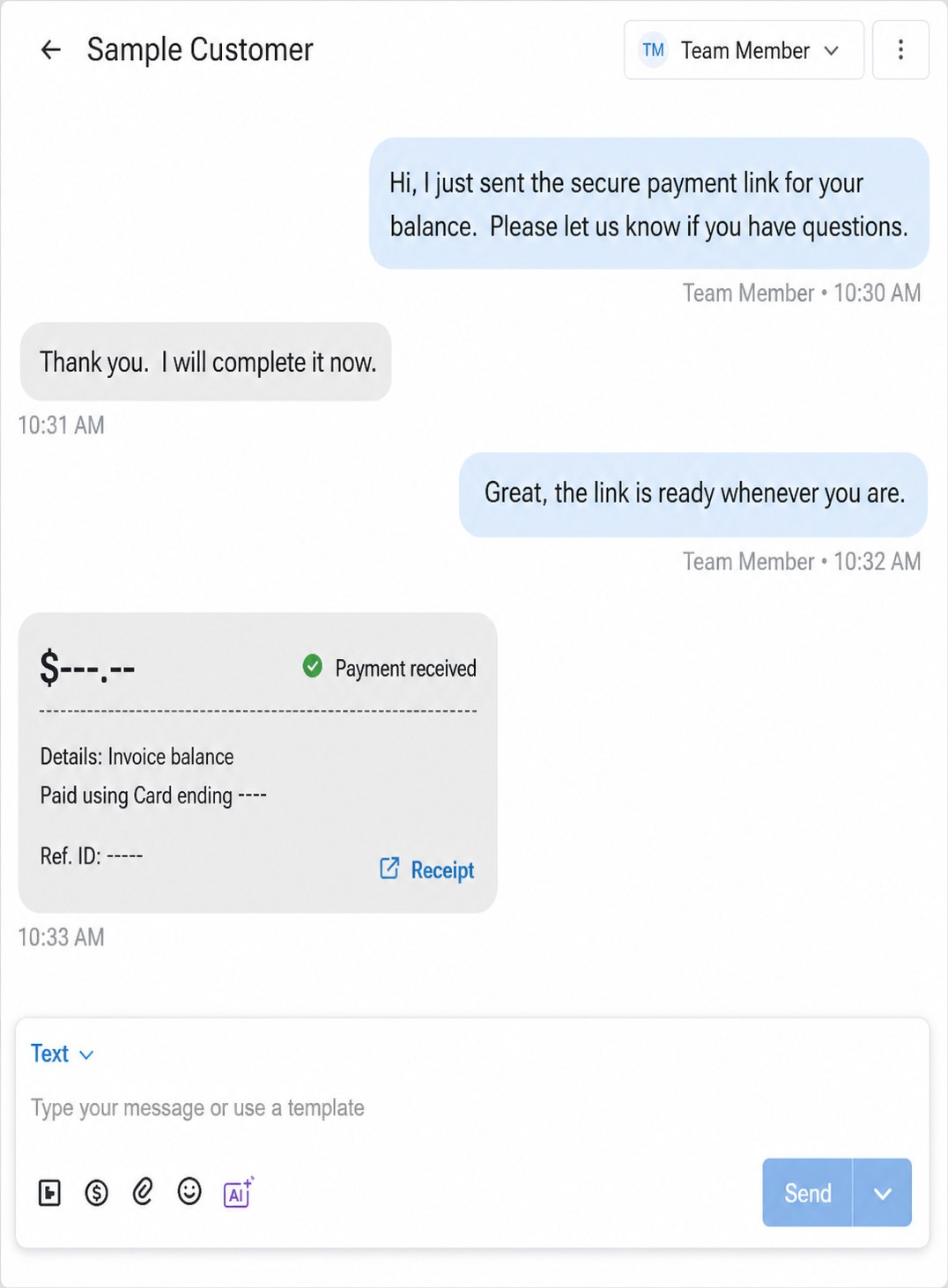
- The customer opens the link and completes the payment from a phone or computer.
- The payment status becomes visible to authorized staff in the supported workflow.
- The team can continue the conversation, send a receipt, or follow up if the balance remains open.
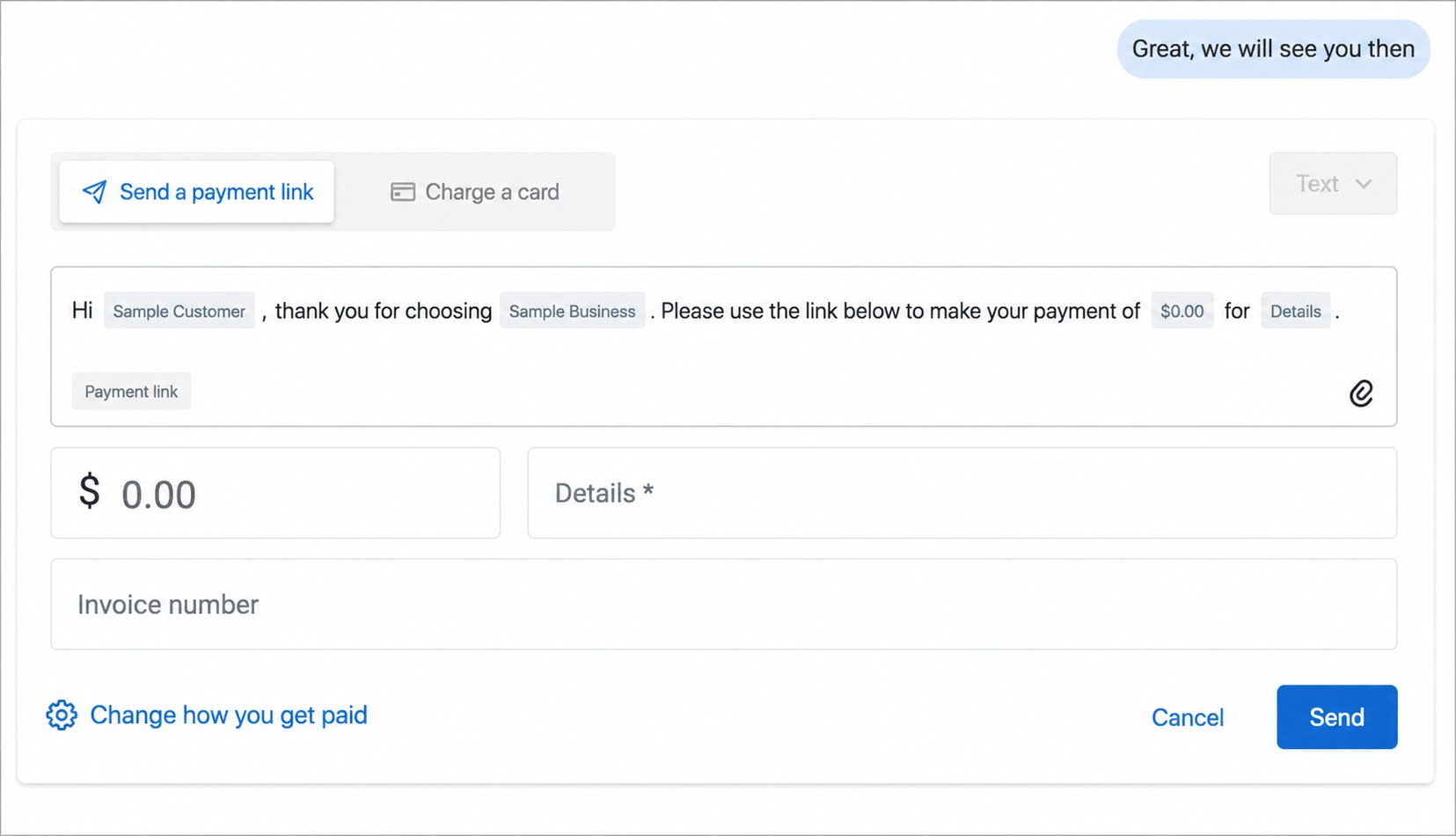
Send payment links without creating another disconnected process
Text-to-pay is most useful when it fits the conversation already happening. A contractor can send a final balance after the customer approves the work. A dental office can share an eligible patient-balance link. A med spa can request a deposit. A furniture store can collect a delivery balance. An auto shop can send an invoice link before vehicle pickup. A property manager can use an approved payment workflow for eligible charges.
Businesses should still apply their normal accounting, consent, security, refund, dispute, and industry-specific policies. Birdeye Payments does not replace proper bookkeeping or compliance review. It can reduce payment friction by making the next action clear and mobile-friendly.
Faster customer action
Customers can open the link and pay without waiting on hold or coordinating another visit.
Shared staff visibility
Authorized team members can see the conversation and supported payment status instead of relying on personal messages.
Cleaner follow-up
Payment, receipt, review, and service follow-up can be planned as connected customer moments.
Make it easier for customers to pay from their phone
ConvertLocal helps businesses confirm eligibility, configure the Birdeye workflow, train employees, and connect payments, calling, texting, webchat, and reviews into a practical customer communication system.
Best-fit businesses
Home services
Deposits, completed-job balances, invoices, and approved change orders.
Dental and medical offices
Eligible patient balances and approved payment communication workflows.
Med spas and wellness
Deposits, packages, outstanding balances, and appointment-related payments.
Auto repair
Repair invoices, deposits, and pickup-related payment requests.
Retail and delivery
Final balances, special orders, delivery payments, and invoice follow-up.
Property and local services
Eligible fees, invoices, and service-related charges based on business policy.
Why work with ConvertLocal?
The software is only one part of the project. Staff need to know when to send a link, what details to include, who can view payment activity, how refunds and disputes are handled, and what happens after payment. ConvertLocal helps map the workflow, configure the approved team access, write message templates, train staff, and test the complete customer experience.
Frequently asked questions
What is Birdeye text-to-pay?
Birdeye text-to-pay lets eligible businesses send a secure payment link through supported messaging workflows so customers can complete a payment from their phone.
Can I send payment links by text?
Yes, supported Birdeye Payments workflows can send payment links by text and may also support email. Exact channels, processing, and account eligibility should be confirmed during setup.
Is Birdeye Payments good for local businesses?
It can be a strong fit for local businesses that collect balances, deposits, invoices, or service payments and want to reduce phone tag and in-person payment friction.
Can ConvertLocal help set up Birdeye Payments?
Yes. ConvertLocal can help review eligibility, configure payment and messaging workflows, train staff, test the process, and connect payment follow-up to the broader Birdeye setup.
Can Birdeye Payments work with reviews and messaging?
Yes. Payments can sit alongside supported Birdeye Inbox, Reviews, Webchat, Texting, and customer follow-up workflows depending on the selected products and account.
Make it easier for customers to pay from their phone
ConvertLocal helps businesses confirm eligibility, configure the Birdeye workflow, train employees, and connect payments, calling, texting, webchat, and reviews into a practical customer communication system.
Read the Birdeye text-to-pay guide
See real anonymized product examples, industry workflows, a setup checklist, and common payment collection mistakes.
Jewelry store Birdeye resources
Explore The Edge review automation, jewelry store texting, customer feedback, payments, Google reviews, and platform comparisons.