
Pest control companies can use Birdeye and ConvertLocal to capture more leads, automate review requests, and keep customer communication organized.
Privacy note: screenshots on this page are anonymized. Webhook URLs, account details, customer names, phone numbers, emails, and private payload data are hidden or replaced with examples.
Overview
The goal is simple: when a pest control appointment is marked completed in FieldRoutes, a webhook sends the right customer fields into Birdeye or middleware so a review request can be sent by text or email. This is a custom FieldRoutes review request workflow, not a claim of an official native FieldRoutes integration.
Get help connecting FieldRoutes to Birdeye
ConvertLocal can help configure the webhook, payload, middleware, Birdeye campaign, test records, and launch monitoring.
Step-by-step FieldRoutes review automation setup
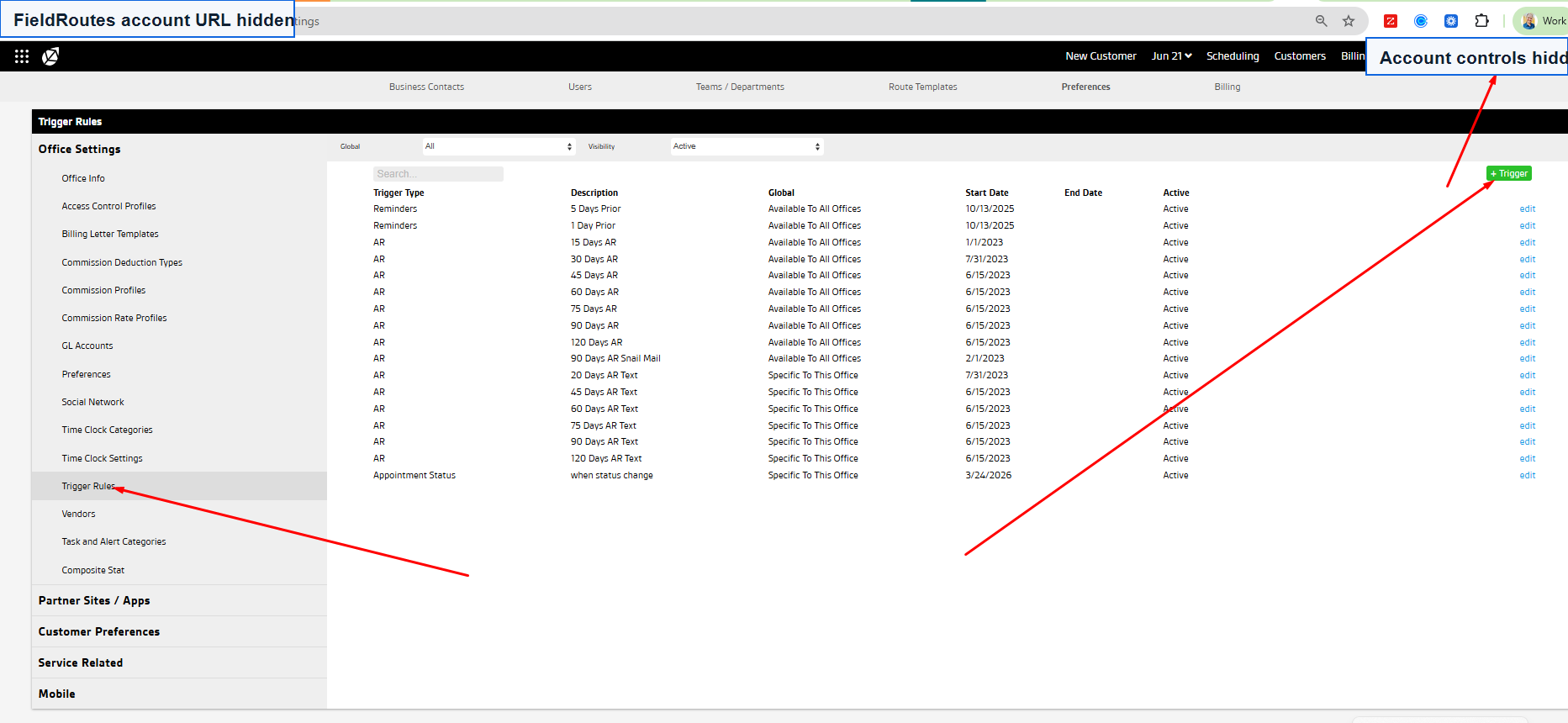
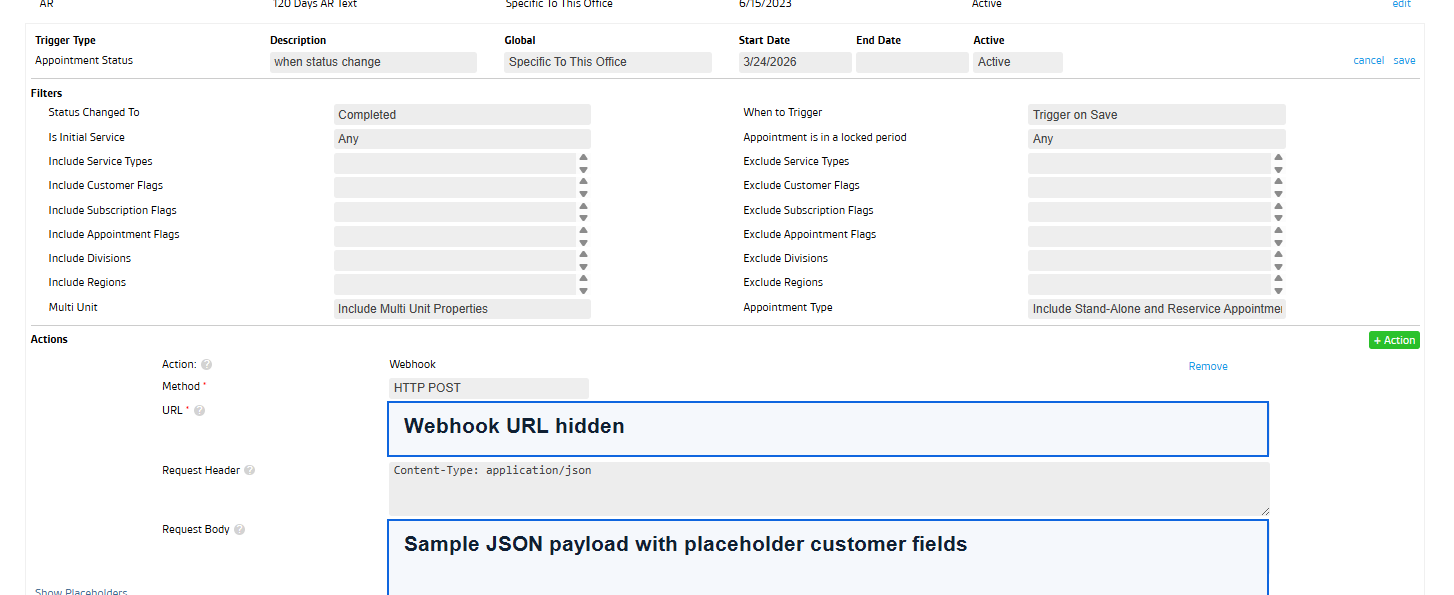
- Log into FieldRoutes with admin access.
- Go to Admin settings and find trigger rules, webhook, API, or action settings.
- Create a rule for Appointment Status where status changes to Completed.
- Send only the fields needed for the review workflow: customer name, phone, email, appointment status, service date, location, and appointment ID.
- Connect the webhook to Birdeye directly where supported, or to middleware that formats the payload for Birdeye.
- Test with a sample completed appointment and confirm the review request sends correctly.
- Monitor duplicate prevention, location routing, opt-out handling, and request timing.
How Birdeye sends the SMS review request
Once the completed appointment data reaches Birdeye, the review campaign can send a short SMS review request to the customer. For pest control companies, this is usually the cleanest handoff: FieldRoutes confirms the service is complete, then Birdeye handles the text message, review link, email backup, tracking, and reporting.
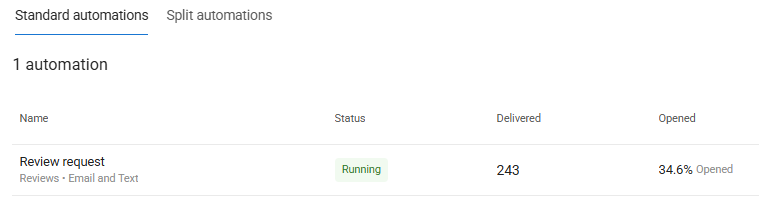
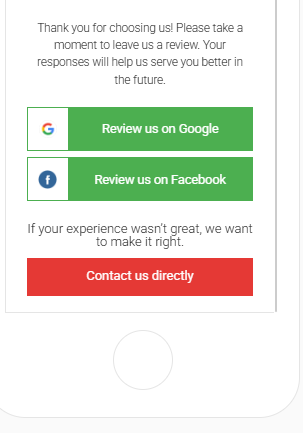
Example SMS workflow
- Technician completes the appointment in FieldRoutes.
- The trigger sends the customer name, phone number, email, status, and location to the review workflow.
- Birdeye matches the right business location and sends the review request by SMS, with email as a backup if configured.
- The customer taps the link and chooses where to leave feedback, including Google.
- Your team monitors requests sent, reviews received, low-star feedback, and unanswered reviews in Birdeye.
The SMS should be short, branded, and sent at the right moment. ConvertLocal typically recommends testing timing, duplicate prevention, opt-out handling, and location routing before turning on a full pest control review campaign.
Automate SMS review requests with Birdeye
ConvertLocal can help pest control teams turn completed FieldRoutes appointments into Birdeye SMS review requests without asking technicians to manually text customers.
What to avoid
| Avoid | Why it matters |
|---|---|
| Canceled or no-show triggers | Customers should not get review requests for visits that did not happen. |
| Duplicate webhooks | Multiple requests can annoy customers and hurt trust. |
| Too-fast timing | Some teams prefer a short delay after service completion. |
| Sending too much data | Only send fields needed for the workflow. |
Related: Birdeye for pest control, Google review generation, and FieldRoutes review automation blog.
Get a Birdeye quote from ConvertLocal
ConvertLocal helps pest control companies launch Birdeye review automation, business texting, webchat, missed-call follow-up, and reputation workflows.
FAQs
Is this an official native FieldRoutes integration?
This guide describes a FieldRoutes webhook workflow and custom FieldRoutes to Birdeye automation. It does not claim an official native or certified integration.
What trigger should pest control companies use?
A completed appointment trigger is usually best because it avoids review requests after canceled, no-show, failed, or rescheduled visits.
What customer data should be sent?
Typical fields include customer name, phone, email, appointment status, service date, location, and appointment or service identifiers, using only the fields required for the workflow.